Counto Help & Support Center
Access guided demos and step-by-step walkthroughs across every Counto platform. Learn how to manage your ACRA compliance, IRAS tax, payroll, and daily operations.
Invoices
Create, send, and track customer invoices
IN THIS SECTION:
Platform Overview
How do I navigate the Invoices Workspace?
The Invoicing workspace allows you to oversee all aspects of billing, from maintaining item catalogues to tracking historical payments.
1
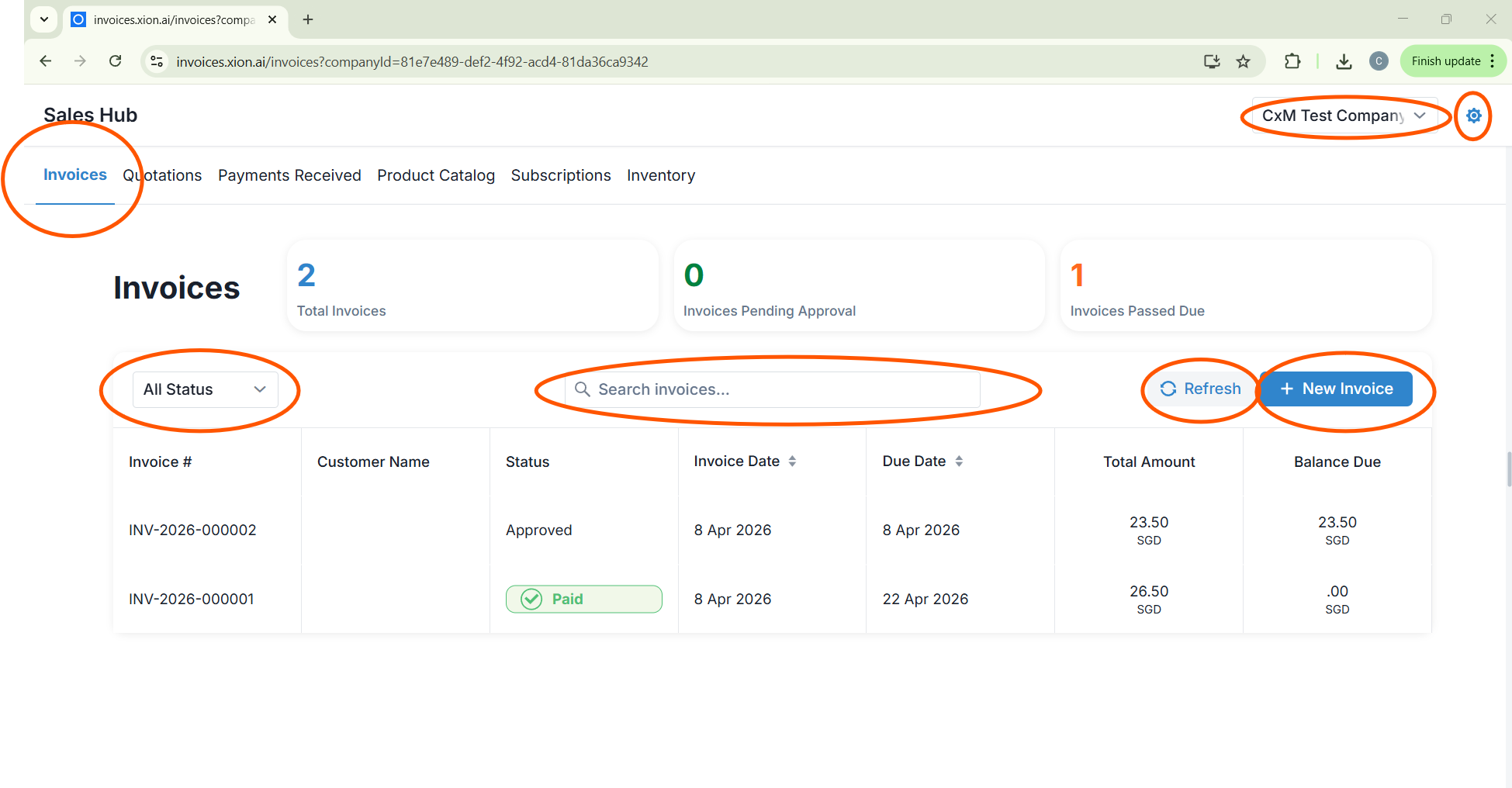
Sales Hub Dashboard
This is your primary landing page upon login, providing a high-level summary of your billing activities.
This is your primary landing page upon login, providing a high-level summary of your billing activities.
2
Multi-Company Management
Use the dropdown menu in the upper-right corner to toggle between different business entities seamlessly.
Use the dropdown menu in the upper-right corner to toggle between different business entities seamlessly.
3
Settings Access
Access the Gear icon in the top right to manage platform configurations and administrative preferences.
Access the Gear icon in the top right to manage platform configurations and administrative preferences.
Tab-by-Tab Breakdown
Understanding the modular interface
1
Invoices
- Metrics: View Total Invoices, those Pending Approval, and those Passed Due.
- Filter: Sort by Status (Draft, Approved, Paid, or Partially Paid).
- Ledger: Displays Invoice #, Customer Name, Status, Dates, and Balances.
2
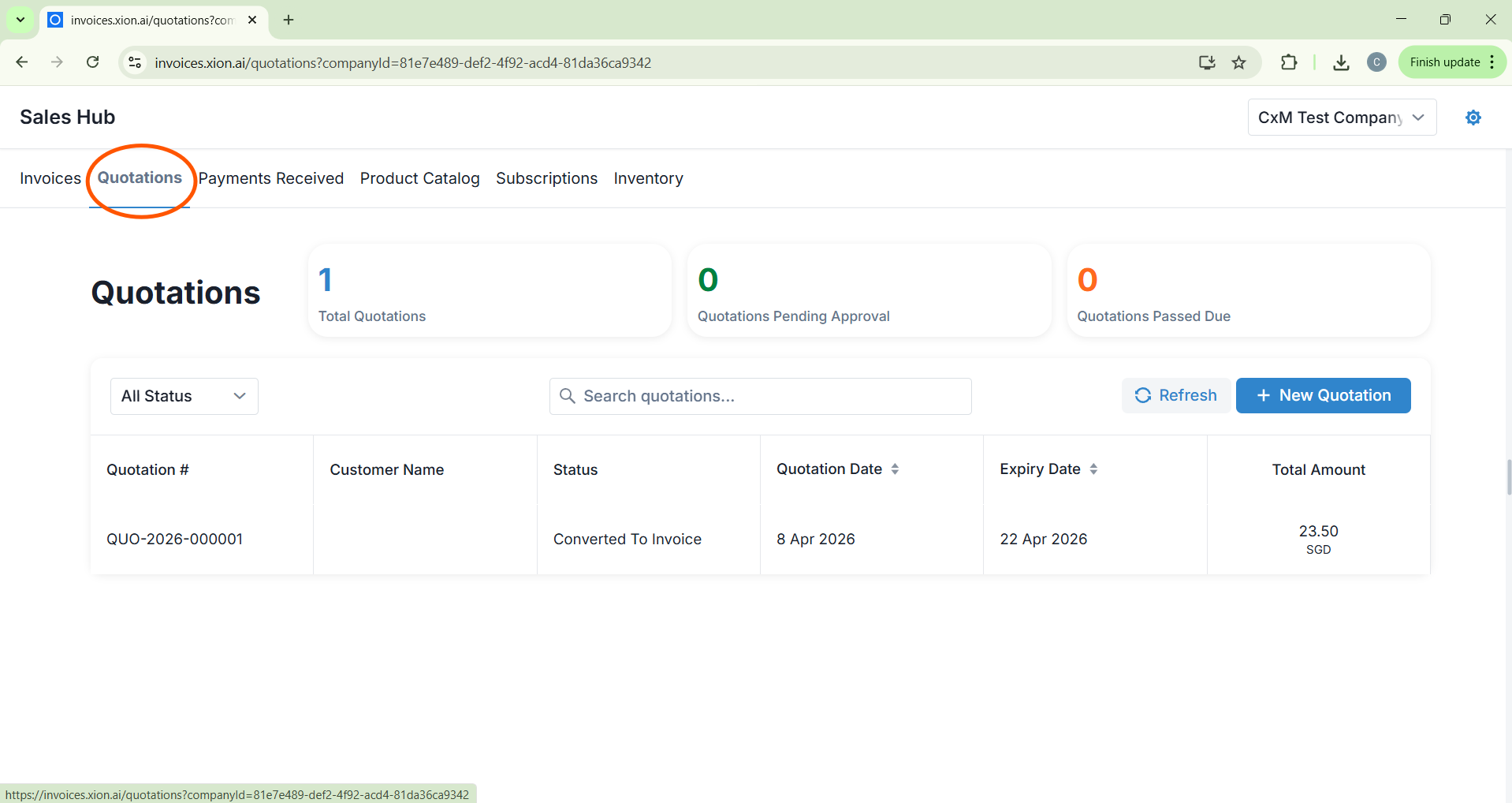
Quotations
- Metrics: Monitor total volume and items awaiting approval.
- Filter: Categorise by Draft, Invoiced, Cancelled, Accepted, or Sent.
- Ledger: Tracks Quotation #, Customer, Expiry Dates, and Total Amounts.
3
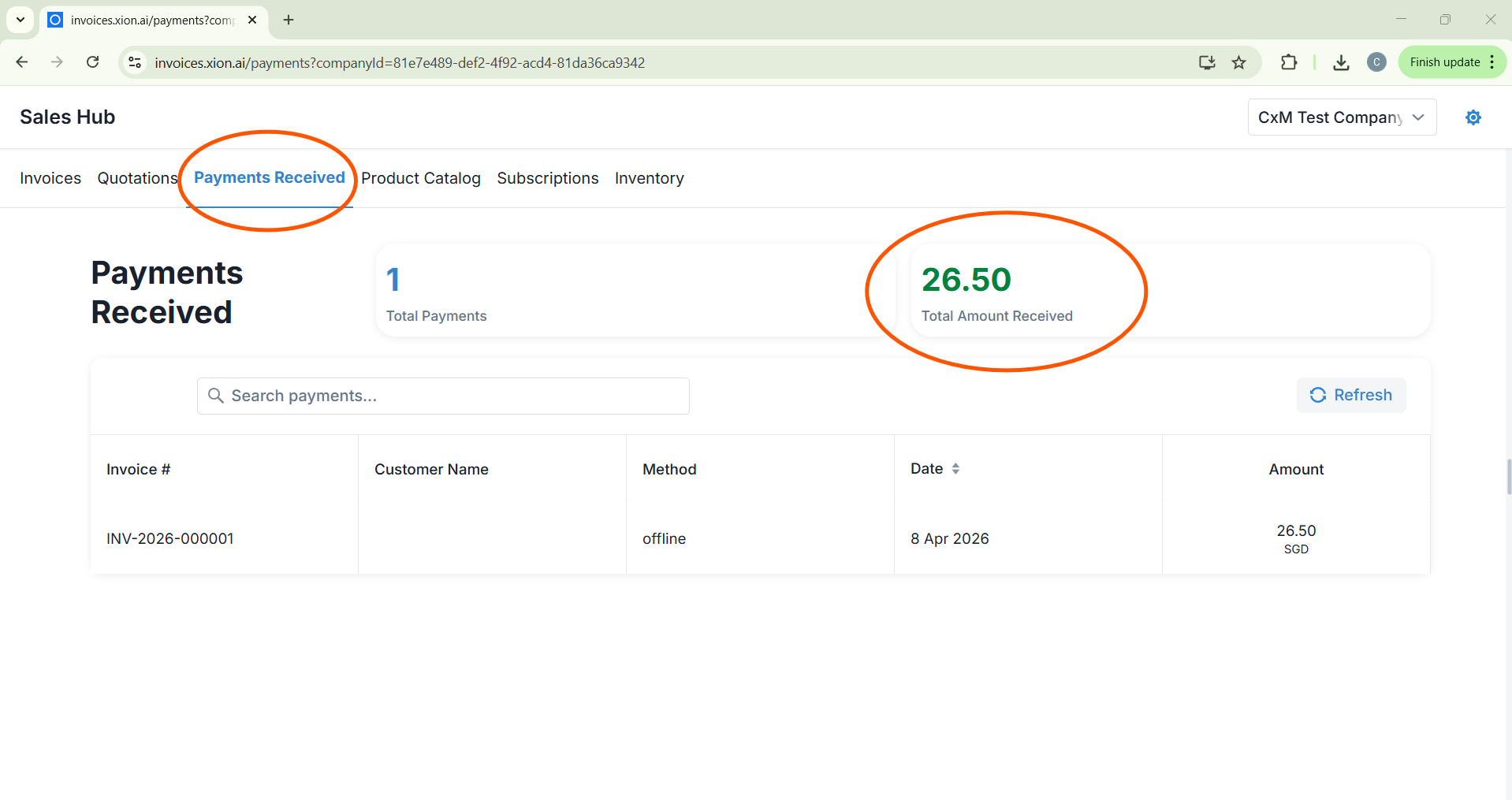
Payments Received
A historical log of all successful transactions.
A historical log of all successful transactions.
- Details: View Invoice #, Payment Method (e.g., Stripe ACH), and Amount.
4
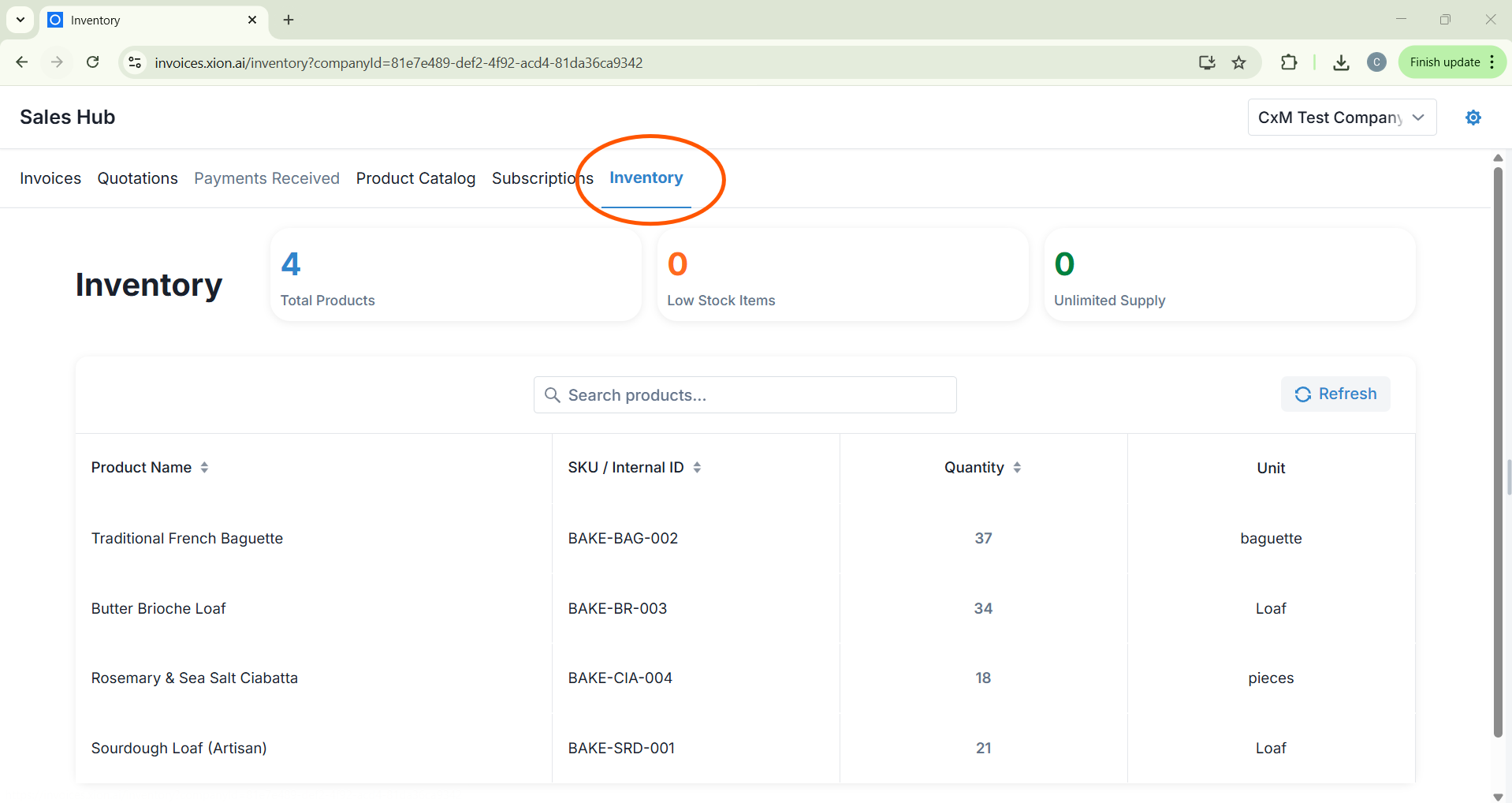
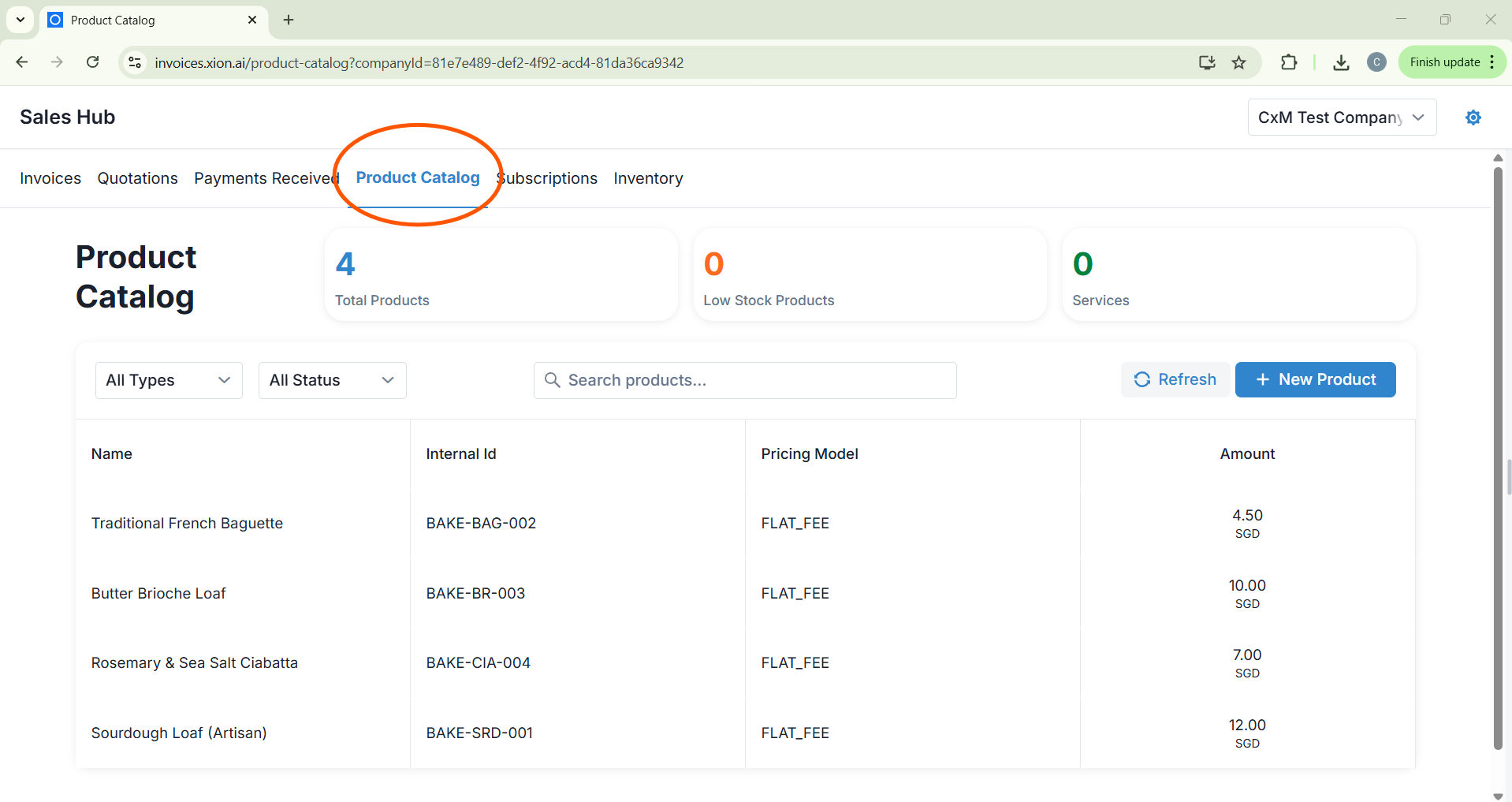
Catalog & Inventory
- Product Catalog: Central hub for managing items and services.
- Inventory: Track SKU/Internal ID, Low Stock Items, and Units.
5
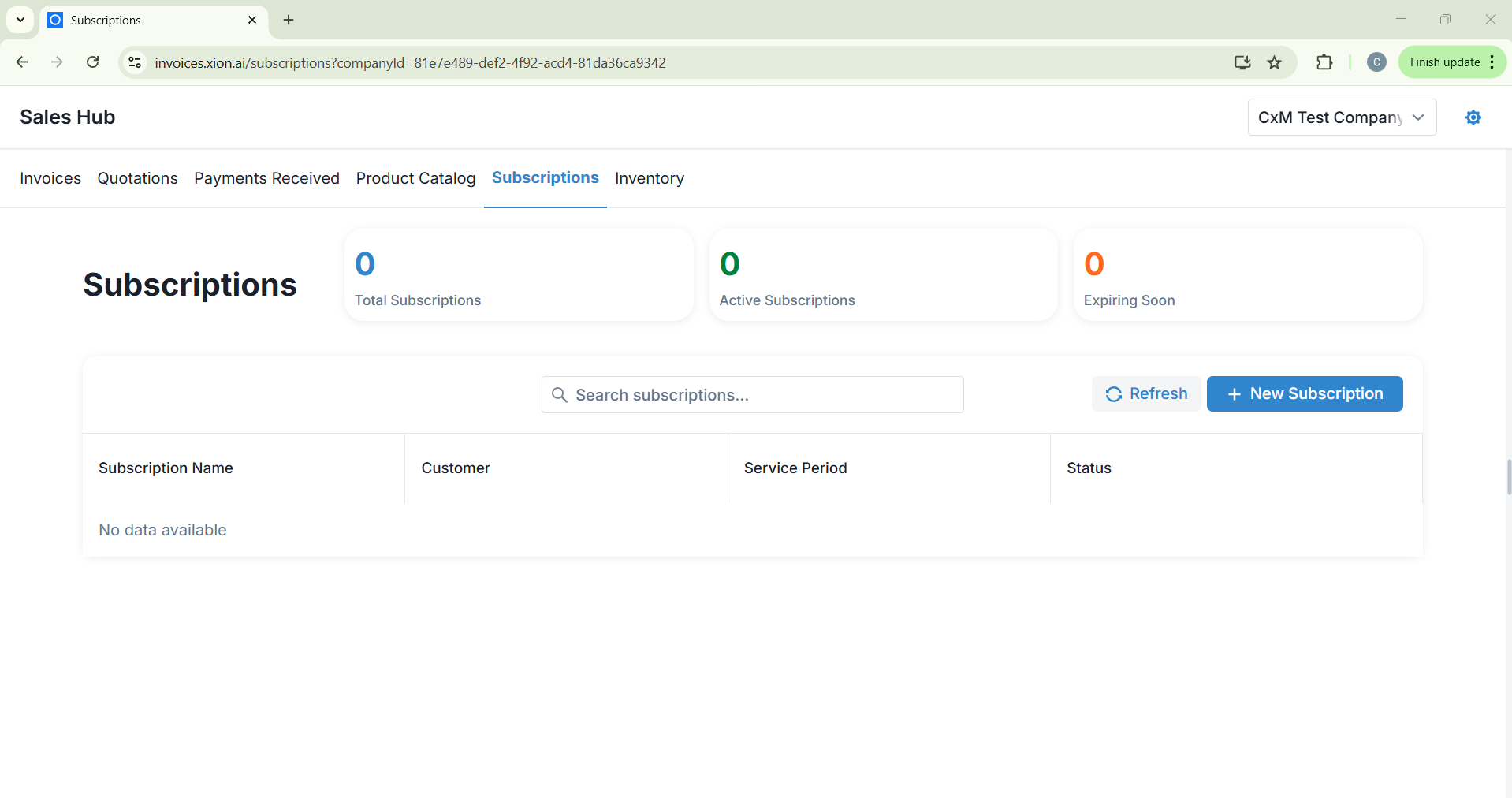
Subscriptions
- Metrics: Track Active vs. Expiring subscriptions.
- Ledger: Manage recurring billing by Service Period and Status.
6
Inventory Metrics
- Metrics: Total Products, Low Stock Items, and Unlimited Supply.
- Ledger: Track Product Name, SKU / Internal ID, Quantity, and Unit.