Counto Help & Support Center
Access guided demos and step-by-step walkthroughs across every Counto platform. Learn how to manage your ACRA compliance, IRAS tax, payroll, and daily operations.
Invoices
Create, send, and track customer invoices
Managing Approved Quotations
How do I manage approved quotations?
Once a quotation has been approved, the next step is often transitioning it into a formal bill. Follow these steps to convert your proposal into an active invoice.
1
Access Hover Menu
Locate the approved document in your Quotations ledger. Hover over the row to reveal the action menu.
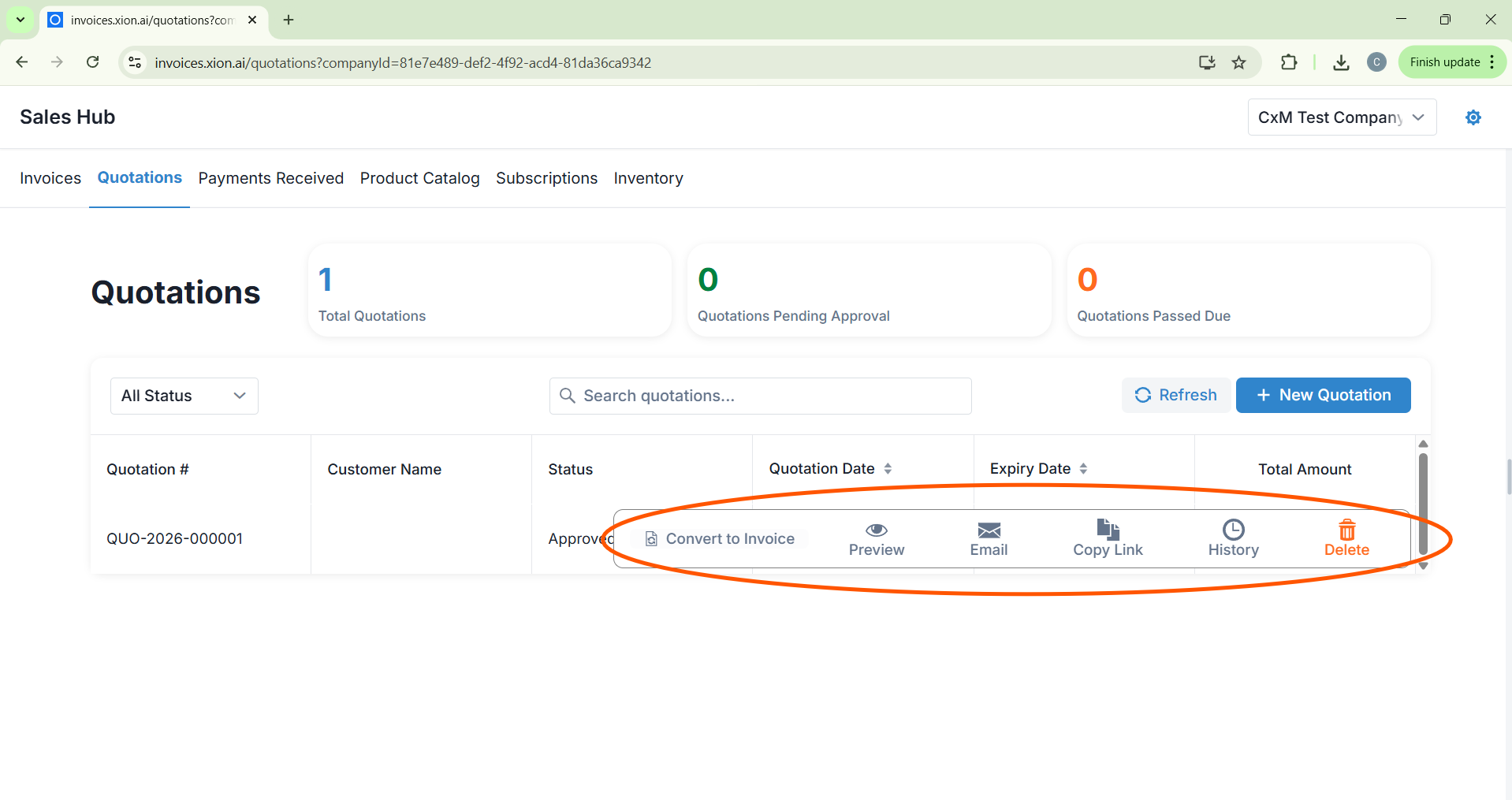
Locate the approved document in your Quotations ledger. Hover over the row to reveal the action menu.
2
Convert to Invoice
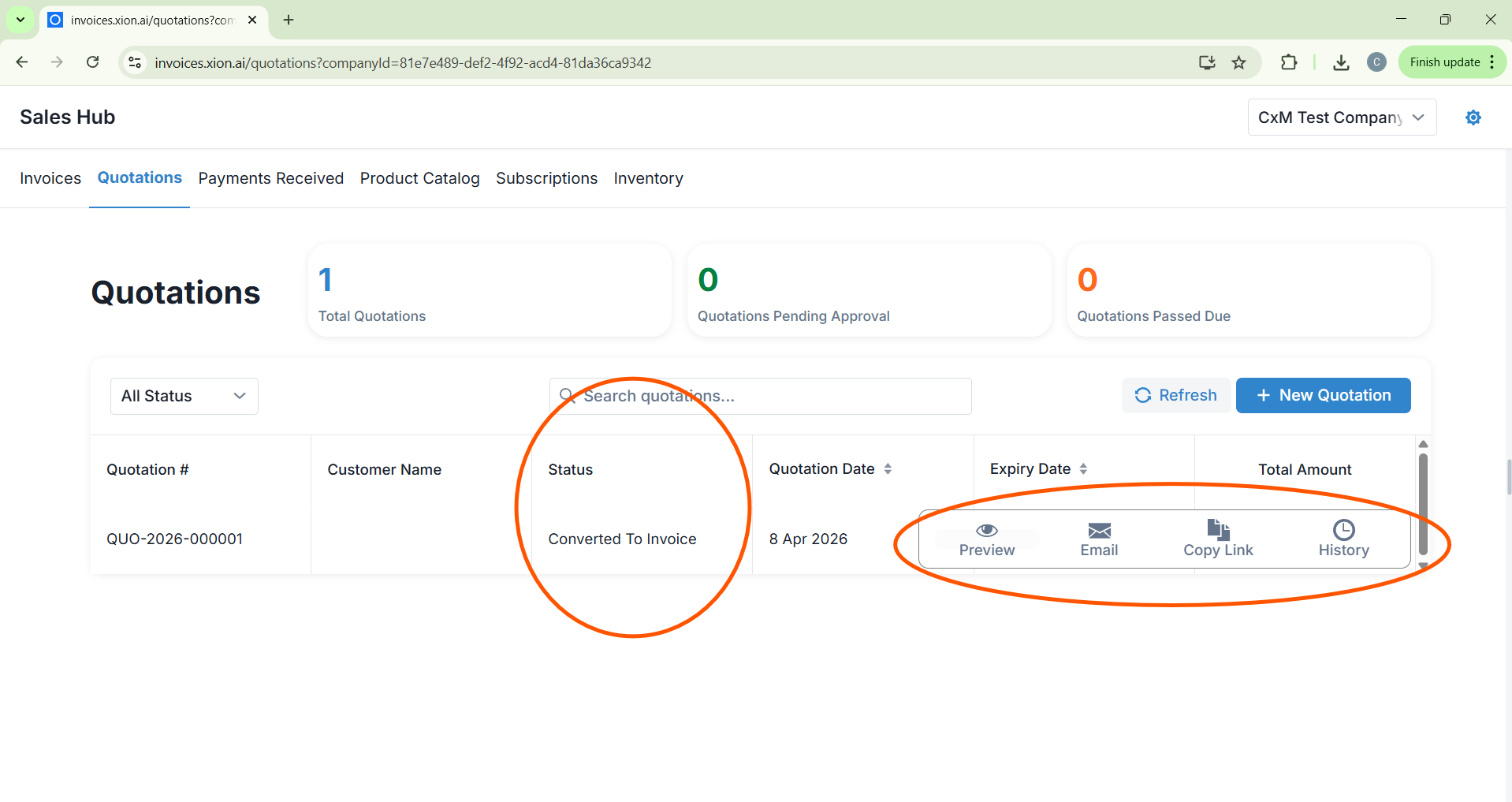
- Click Convert to Invoice from the quick-action menu.
- A side panel will appear showing the transfer details. Review the information and click the blue Convert button.
3
Finalise & Verify
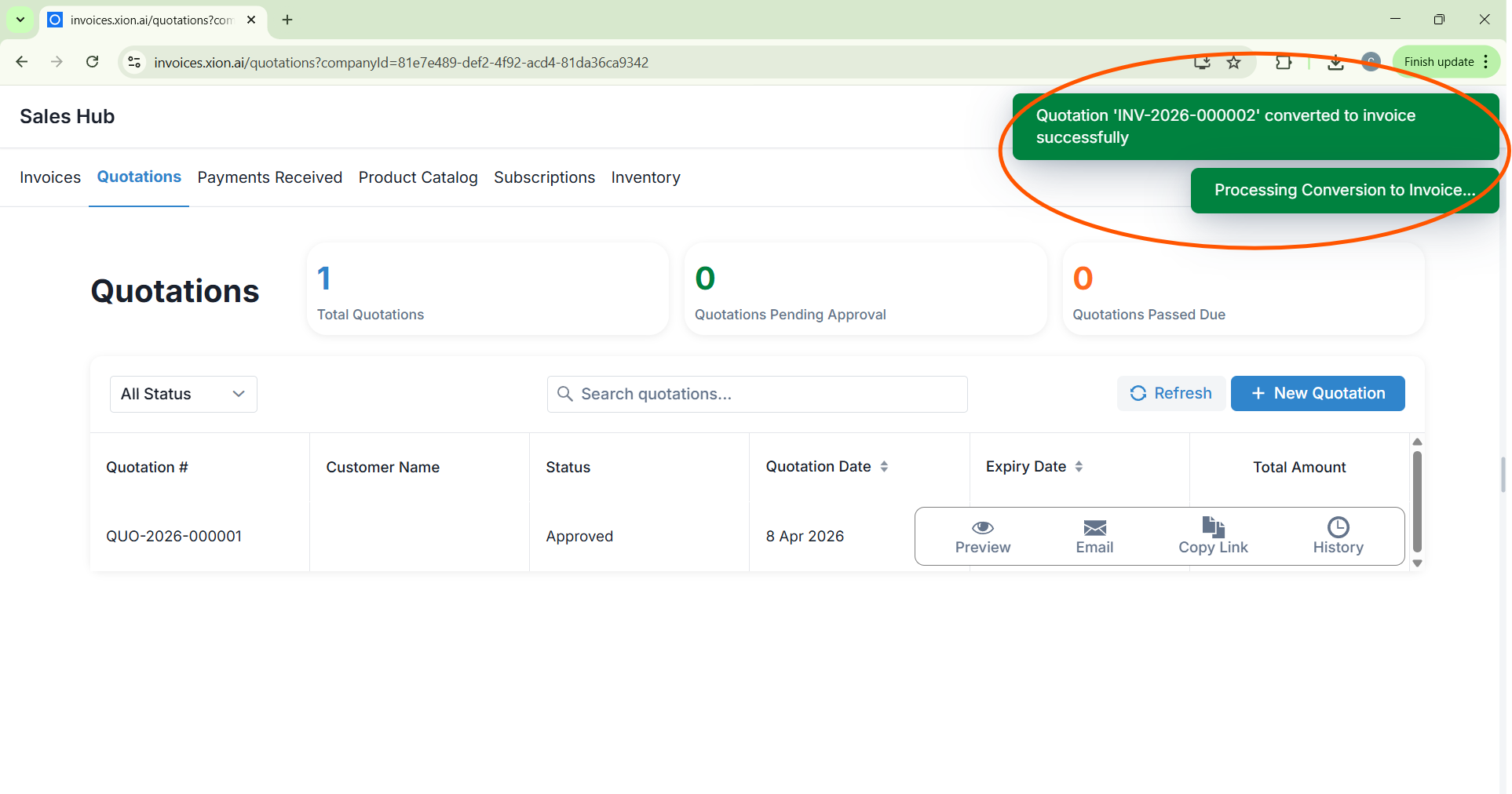
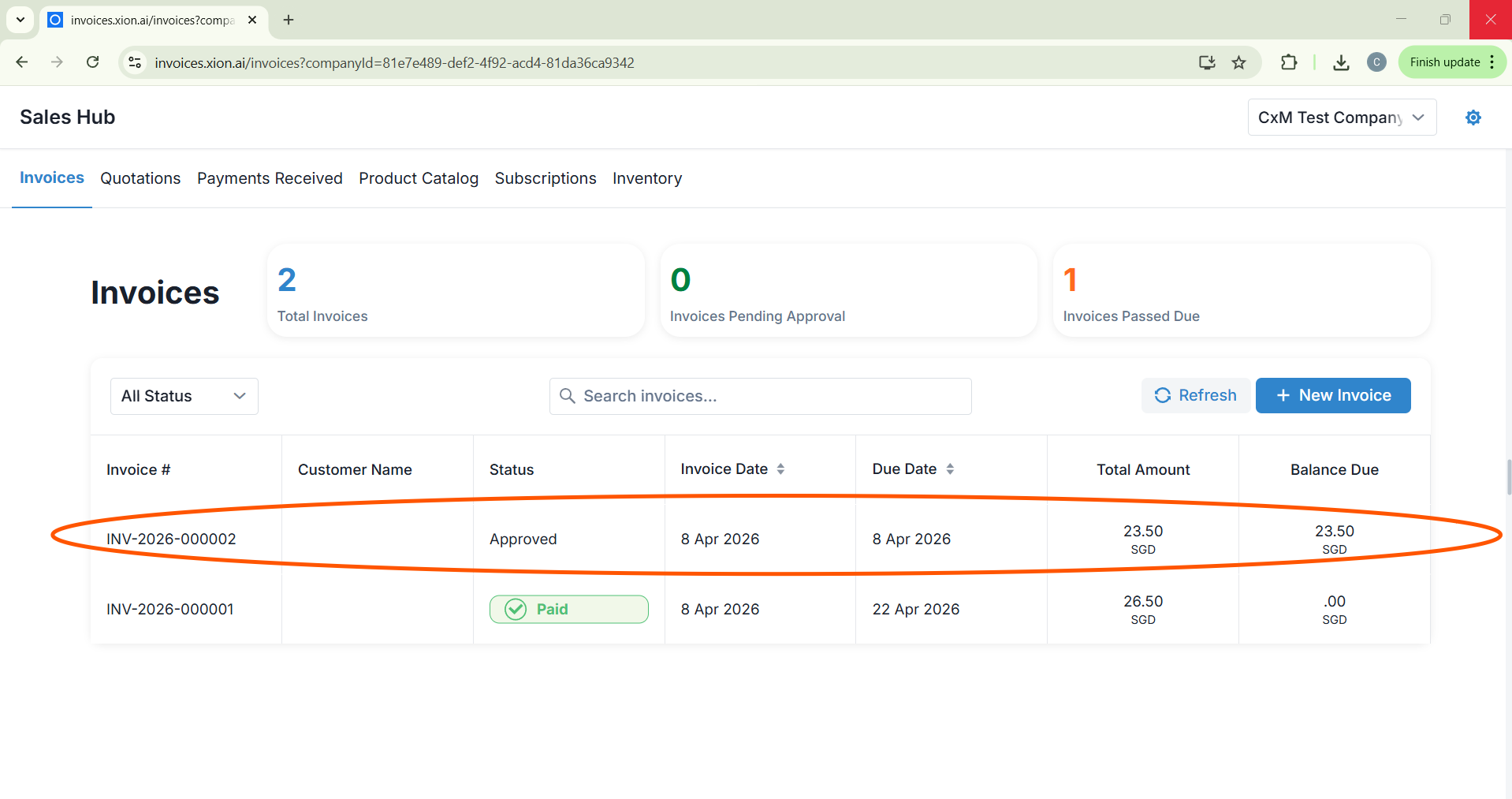
A “Quotation converted to Invoice successfully” success message will appear. The document will be moved automatically to your Invoices ledger, ready for final billing and collection.
A “Quotation converted to Invoice successfully” success message will appear. The document will be moved automatically to your Invoices ledger, ready for final billing and collection.